
Let’s color something happy.
Make a color plan with the Ohuhu markers you already own. Upload a page and get a palette, a painted preview and eight printable guides that walk you through it, step by step.
- Ohuhu markers and sets
- AI object detection
- Interactive result
- Print A4 or save PNG
Colorguide
Line art
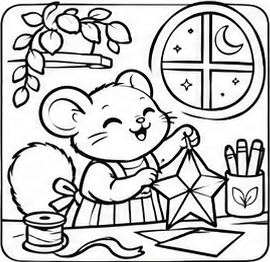
Color preview
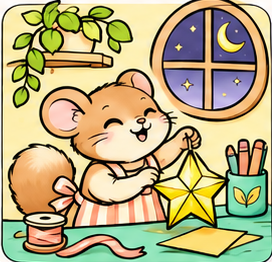
- Apricot
- Mint
- Honey
Made for Ohuhu
Built for Ohuhu markers, starting with the ones you own.
Colorguide knows the full Ohuhu catalog: 322 markers and every boxed set, each marker with its real code and color. Tell it which sets and markers are in your drawer, and every palette starts from those.
- Tick the sets you bought
- Own the 48 Pastels or the 120 set? Tick the box set and all its markers are in. Every Ohuhu set is there, from 24 markers to the full 320.
- Fine-tune marker by marker
- Search by code or name, such as V060 or lavender. Tick a single marker, or a whole family such as G or YR in one click.
- Find markers in a photo
- Upload a photo of a page you colored, and see which Ohuhu markers match its main colors.
- Your markers come first
- Palettes use your own markers first. No markers ticked yet? Then the full catalog is used.
- Fill the gaps
- When a color needs a marker you do not have, Colorguide tells you which one to buy.
Sets you own
- 24 markers (not owned)
- 48 Pastels (owned)
- 72 markers (not owned)
- 120 markers (owned)
G
6 markers
- G320 Jade Green Owned
- G4 Mint Green Light Owned
- G360 Pond Green Not owned
- G3 Ocean Green Owned
- G1 Emerald Green Not owned
- G440 Leaf Green Owned
Before you color
A plan built around your page and your markers.
No generic color charts. Colorguide reads the page in front of you and plans with the markers in your drawer.
- Your lines stay yours
- Take a photo, even at an angle. Colorguide finds the page, straightens it and never redraws a line. A line check confirms it.
- Every object named
- The AI names each object on the page and finds where the light comes from, so the shadows fall on the right side.
- A palette from your markers
- Tick the Ohuhu markers you own. Pick a style such as Warm, Pastel or Cozy firelight, and get ramps of 3 to 6 shades per color.
- Lock, swap and fine-tune
- Lock a color you love, type a hex code or a marker code, or swap one shade for a lighter or darker neighbor.
- Know what to buy
- See which markers are missing from your set, and which marker to buy when a closer match exists.
- AI painting or quick shading
- The AI paints your page with your palette and snaps every color to a real marker. Short on time? Use shading made in code.
Interactive result
Point at any area to see its markers.
The painted result knows every area of your page. Move the pointer over it to see what the object is and which markers go where, from base to shadow.
- Marker zones
- Switch to a flat view that shows where each marker goes.
- Your colors, your lines
- Every color snaps to a real marker, and your own lines stay on top.
- Print or save
- Print any guide on A4, or save it as a high-resolution PNG.
After the palette
Eight guides from one page.
Pick the help you need. Every guide uses your page, your palette and the codes printed on your own markers, so you never have to guess which pen comes next.
Step cards
Color along, one layer at a time.
One card per step, in the order a marker artist works: highlights, base, shadows, then the deepest shadows. Each card shows the page with all work up to that step.
- The pens to pick up
- Every marker for the step, drawn with its code on the barrel.
- A goal in plain words
- Where the color goes, and which side the light comes from.
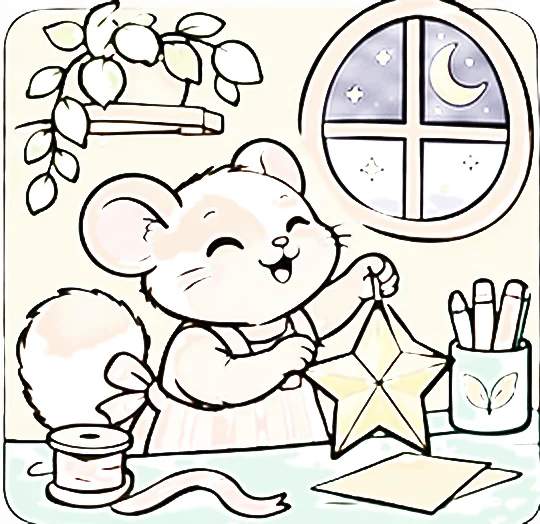
Use: E020 G420 Y260
Goal: Add small highlights to the fur, the table and the star, on the side that faces the window.
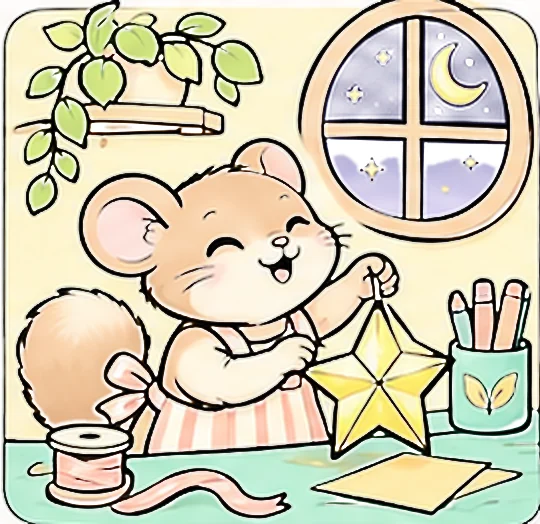
Use: YR090 G360 Y2
Goal: Fill each object with its base color in light, even strokes.
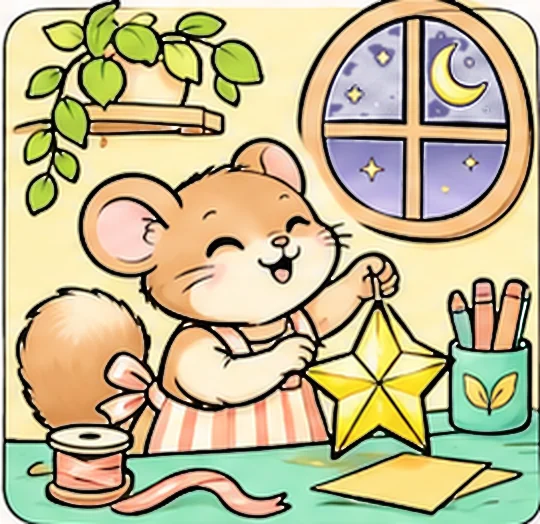
Use: YR180 G390 YR2
Goal: Add shadows on the side of each object away from the light.
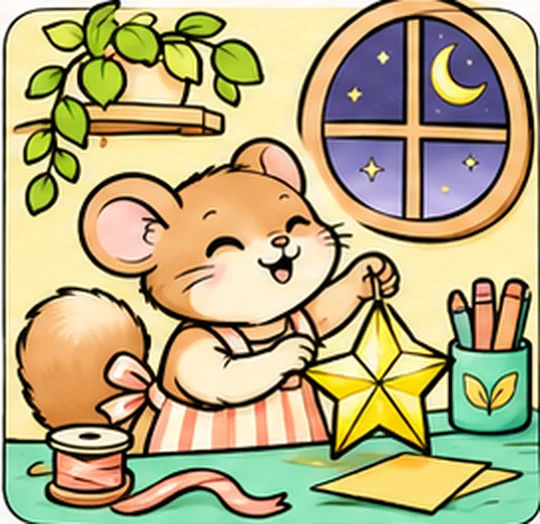
Use: E060 BG1 Y8
Goal: Add the deepest shadows in folds, and where two objects touch.
- Swatch sheet
- Every marker from light to dark, with a box to test it first.
- Placement map
- A number on every object, with its marker codes from base to shadow.
- Placement guide
- A line from each object to its marker range, plus a marker key and placement tips.
- Worksheet
- All ramps, the light direction, a pro tip and the full coloring order on one sheet.
- Object tutorial
- Object by object: which layers to use, in which order, with a small preview of each stage.
- Element guide
- Zoom in on one object: where it sits on the page and how to color it, stage by stage.
- Result
- Your page painted with the palette. Point at an area to see its markers, or switch to flat marker zones.

A sample
Try a little color magic.
This is a real guide that Colorguide made from one page. Click through the steps, point at an area, or open another guide.
How it works
A simple three-step workflow.
-
Step 1: Upload a page
Take a photo of an uncolored coloring-book page. Colorguide straightens it and keeps your lines.
-
Step 2: Pick your colors
Tick the Ohuhu markers you own, then build a palette from them.
-
Step 3: Make your guide
Let the AI paint the page, then print the step cards, swatch sheet and worksheet.
Your next page is waiting.
Upload it, tick your markers, and color along with your own guide.